Phone Battery Repair: Common Problems and Easy Solutions
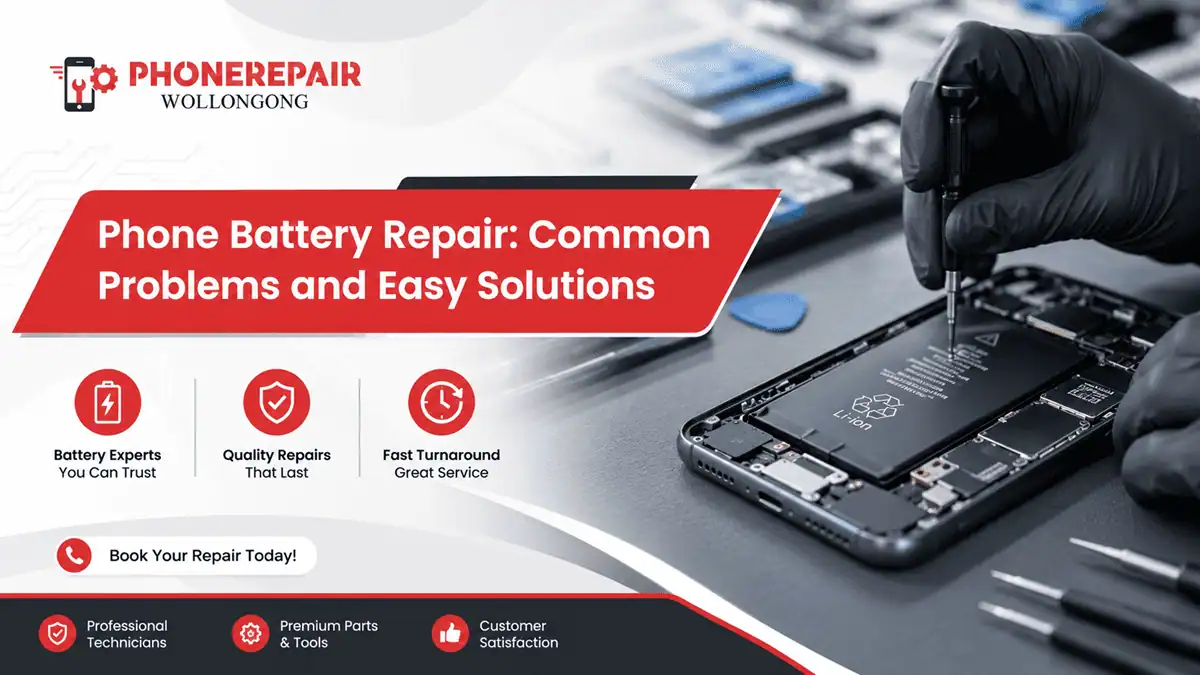
Phone Battery Repair: Common Problems and Easy Solutions. Mobile phones have become part of everyday life across Australia. From work emails and online banking to social media and maps, people rely heavily on their devices every single day. However, one of the most frustrating issues smartphone users face is battery trouble. A phone that constantly dies, overheats, or charges slowly can quickly become annoying, especially when you need it most.
At Phone Repairs Wollongong, battery-related problems are among the most common repair requests. Thankfully, many battery issues can be fixed quickly when identified early. In some cases, simple habits and maintenance tips can even extend battery life significantly.
This guide explains the most common phone battery problems, practical solutions, warning signs, and when professional phone battery repair in Wollongong may be necessary.
Why Phone Batteries Wear Out Over Time
Most smartphones today use lithium-ion batteries. These batteries work efficiently, however they naturally degrade after repeated charging cycles. Usually, phone batteries begin losing performance after 2 to 3 years of regular use.
Additionally, factors like heat exposure, overcharging, poor-quality chargers, and heavy app usage can speed up battery damage.
Average Battery Lifespan
| Battery Type | Average Lifespan |
|---|---|
| Lithium-ion battery | 2–3 years |
| Heavy daily usage | 18–24 months |
| Moderate usage | Around 3 years |
Therefore, battery wear is normal over time, although some problems develop faster because of usage habits.
Common Phone Battery Problems
1. Fast Battery Drain
One of the biggest complaints among smartphone users is rapid battery loss. Sometimes a fully charged phone drops below 20% within a few hours.
Common causes:
- Too many background apps
- High screen brightness
- Outdated software
- Battery ageing
- GPS and Bluetooth running continuously
Additionally, social media apps and gaming apps often consume more battery power than people realise.
Easy solutions:
- Lower screen brightness
- Close unused apps
- Turn off location services when not needed
- Update phone software regularly
- Replace old batteries if health drops badly
2. Phone Not Charging Properly
Charging issues can happen suddenly or gradually. In some situations, the phone charges very slowly, while other times it refuses to charge completely.
Possible reasons:
| Problem | Possible Cause |
|---|---|
| Slow charging | Faulty cable or adapter |
| Charging stops randomly | Dirty charging port |
| No charging response | Damaged battery |
| Intermittent charging | Loose charging connector |
Cleaning the charging port carefully sometimes fixes the issue quickly. However, damaged internal components may require professional repair.
3. Overheating Battery Problems
A warm phone during heavy use is fairly normal. However, excessive heat during charging or normal browsing may indicate battery trouble.
Overheating can happen because of:
- Cheap chargers
- Long gaming sessions
- Direct sunlight exposure
- Damaged batteries
- Background app overload
Additionally, overheating may reduce battery lifespan faster over time.
Helpful fixes:
- Remove thick phone covers while charging
- Avoid using the phone heavily during charging
- Keep the device away from direct sunlight
- Use certified charging accessories
Sometimes users ignore overheating signs until the battery starts swelling honestly, which can become dangerous.
4. Swollen Phone Battery
A swollen battery is a serious safety issue and should never be ignored. You may notice the phone screen lifting slightly or the back cover bulging outward.
Warning signs:
- Screen separating from frame
- Phone feels unusually thick
- Excess heat while charging
- Strange chemical smell
If this happens, stop using the phone immediately and visit a professional repair centre.
5. Phone Suddenly Switching Off
Many users experience phones shutting down unexpectedly even when battery percentage remains above 20%.
Common reasons include:
- Battery calibration issues
- Old battery cells
- Software glitches
- Water damage
- Internal hardware faults
Battery replacement usually solves this issue if the battery health has declined heavily.
Signs You Need Professional Phone Battery Repair
Not every battery issue needs immediate replacement. However, certain warning signs indicate professional help is necessary.
Visit a repair technician if:
- Battery drains unusually fast
- Phone overheats regularly
- Charging becomes inconsistent
- Battery percentage jumps suddenly
- Device switches off randomly
- Battery swelling appears
At Phone Repairs Wollongong, technicians can test battery health and identify whether the issue comes from the battery, charging port, or software.
» Phone Not Turning On: Step-by-Step Guide Before Repair
» Top 10 Common Phone Issues and How to Fix Them
» Broken Phone? Here's What Data You Can Still Recover?
DIY Battery Saving Tips That Actually Work
Simple daily habits can improve battery performance more than many people expect.
Practical battery care tips:
- Charge your phone before it reaches 0%
- Avoid overnight charging constantly
- Use original chargers whenever possible
- Keep apps updated
- Reduce unnecessary notifications
- Turn on battery saver mode
- Avoid extreme temperatures
Additionally, restarting the phone occasionally helps background processes reset properly.
Original vs Cheap Replacement Batteries
Choosing quality replacement batteries matters a lot for safety and long-term performance.
| Battery Type | Pros | Cons |
|---|---|---|
| Original battery | Reliable performance | Higher price |
| Cheap aftermarket battery | Lower cost | Short lifespan and overheating risk |
| Premium third-party battery | Balanced option | Quality varies |
Although cheaper batteries look tempting, poor-quality replacements may damage the device further.
How Long Does Phone Battery Replacement Take?
Most modern smartphone battery replacements are completed fairly quickly by experienced technicians.
Estimated repair times:
| Repair Type | Approximate Time |
|---|---|
| Basic battery replacement | 30–60 minutes |
| Charging port repair | 1–2 hours |
| Advanced internal repair | Several hours |
Repair time may vary depending on phone model and spare parts availability.
Can Software Updates Affect Battery Life?
Yes, software updates sometimes improve battery optimisation. However, occasionally new updates may temporarily increase battery usage until apps stabilise.
Therefore, if battery drain starts immediately after an update:
- Check app permissions
- Update all installed apps
- Restart the phone
- Monitor battery usage settings
Usually the system settles after a few days.
Why Professional Repair is Better Than Risky DIY Fixes
Online tutorials often make battery replacement look easy. However, modern smartphones contain delicate internal parts that damage easily during DIY repairs.
Professional repair centres provide:
- Proper tools
- Safe battery handling
- Genuine spare parts
- Device testing
- Repair warranties
Additionally, incorrect battery installation may create safety risks later.
Conclusion
Battery problems are frustrating, however most issues can be solved with early attention and proper care. Whether your phone drains too fast, overheats, refuses to charge, or shuts down randomly, recognising the symptoms early helps prevent bigger hardware damage.
At Phone Repairs Wollongong, professional technicians handle a wide range of phone battery repair services, helping customers restore reliable device performance quickly and safely.
Sometimes people continue struggling with battery issues for months when actually a simple replacement could fix the whole problem pretty quickly.
Social:
https://www.linkedin.com/feed/update/urn:li:share:7464607732067622913/


Comments
Post a Comment