Why Your iPhone Camera Isn't Working and When You Need a Professional Repair
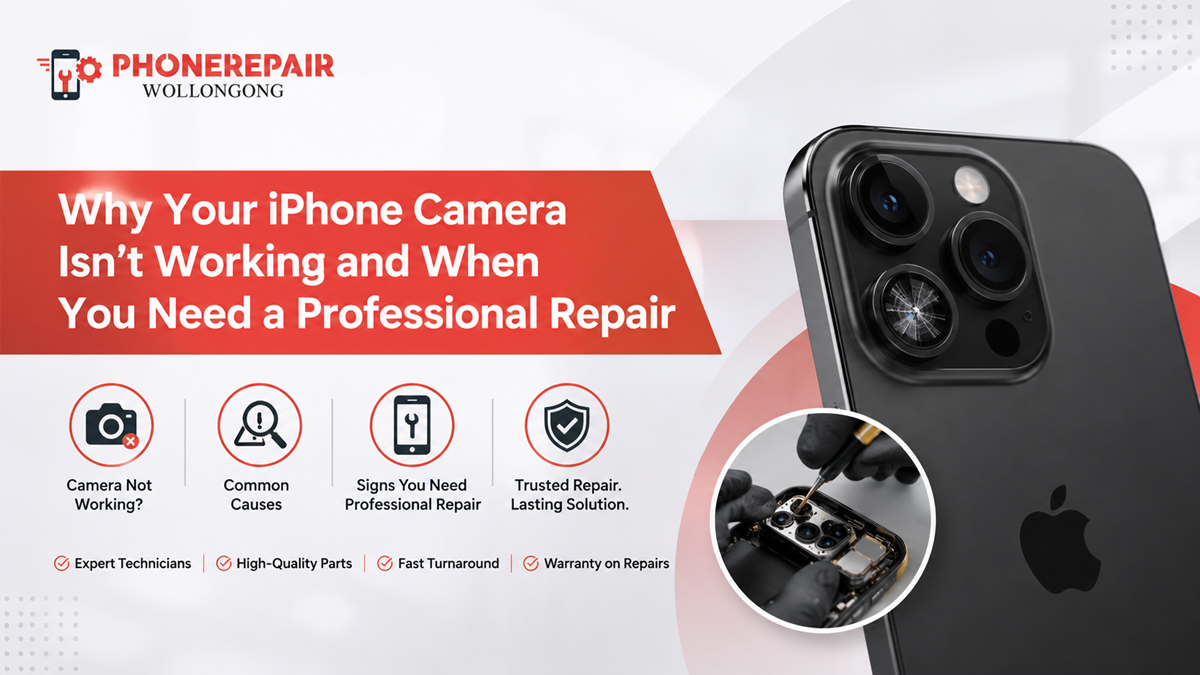
Why Your iPhone Camera Isn't Working and When You Need a Professional Repair. A working camera is one of the biggest reasons people love their iPhones. From taking holiday photos to scanning QR codes, attending Zoom meetings, or capturing everyday moments, the camera has become an essential part of daily life. So, when it suddenly stops working, it can be frustrating, and honestly, a bit confusing too.
Sometimes the issue is minor and can be fixed in just a few minutes. However, there are situations where trying random online fixes can actually make things worse. Understanding the cause of the problem helps you decide whether it's something you can sort out yourself or if it's time to visit a trusted repair technician.
In this guide, we'll explain the most common reasons an iPhone camera fails, simple troubleshooting steps, and when it's best to choose a professional iPhone camera repair.
Common Signs Your iPhone Camera Has a Problem
Camera issues don't always appear the same way. In fact, different symptoms usually point to different faults.
Some of the most common signs include:
Black camera screen
Blurry or unfocused photos
Camera app freezing
Shaking or vibrating image
Rear camera not opening
Front camera not working
Flash not syncing with the camera
Camera crashes immediately after opening
If you notice one or more of these problems regularly, your phone probably needs a proper inspection.
What Causes an iPhone Camera to Stop Working?
Several things can affect camera performance. While software bugs are often responsible, hardware faults are just as common, especially after accidental damage.
Here's a quick comparison.
| Problem | Possible Cause | Can You Fix It Yourself? |
|---|---|---|
| Black screen | Camera module failure | Usually No |
| Blurry images | Dirty or damaged lens | Sometimes |
| Camera app freezing | iOS software issue | Yes |
| Camera shaking | Optical image stabiliser fault | No |
| Flash not working | Software or hardware issue | Sometimes |
| Camera won't focus | Lens damage | Usually No |
Because several faults look similar, guessing the cause isn't always the best idea.
Software Problems Can Affect the Camera
Believe it or not, not every camera issue means the hardware is broken.
Occasionally, the problem begins after:
An iOS update
A failed app installation
Low storage space
Corrupted system files
App permission conflicts
Before assuming the worst, try these simple steps:
Restart your iPhone.
Update to the latest iOS version.
Close background apps.
Check camera permissions.
Free up storage space.
Test both front and rear cameras.
If the camera starts working again, you've probably avoided an unnecessary repair.
Physical Damage Is a Major Cause
Unfortunately, accidental drops remain one of the biggest reasons people visit repair shops.
Even if the screen looks fine, the camera inside may have suffered damage.
Watch for these signs:
Cracked camera glass
Moisture inside the lens
Dust trapped beneath the camera cover
Loose camera movement
Visible scratches
Lens no longer focusing
Ignoring these issues usually leads to poorer image quality over time.
» Phone Not Turning On: Step-by-Step Guide Before Repair
» Top 10 Common Phone Issues and How to Fix Them
» Broken Phone? Here's What Data You Can Still Recover?
Water Damage Can Be More Serious Than It Looks
Although newer iPhones include water resistance, they're not waterproof.
Exposure to:
Rain
Swimming pools
Ocean water
Bathrooms with heavy steam
Spilled drinks
can still damage delicate camera components.
Sometimes the camera works normally for several days before the internal corrosion begins affecting image quality. That's why delayed problems are fairly common.
Should You Try DIY Repairs?
Many online tutorials make iPhone repairs look easy. In reality, opening modern smartphones requires specialised tools and experience.
Here's a comparison.
| DIY Repair | Professional Repair |
|---|---|
| Risk of damaging internal parts | Safe handling |
| No repair warranty | Warranty on workmanship |
| Difficult to diagnose correctly | Accurate fault diagnosis |
| May void remaining warranty | Professional repair process |
| Requires special tools | Tools already available |
Replacing an iPhone camera isn't simply removing a few screws. Newer models contain delicate sensors that require careful calibration.
When You Should Visit a Professional Repair Shop
Some problems need expert attention straight away.
Arrange a professional iPhone repair if:
The camera stays black after restarting.
Images remain blurry despite cleaning the lens.
Camera shaking won't stop.
The rear camera fails but the front camera works.
Your phone suffered a recent drop.
Water entered the device.
The camera app crashes repeatedly.
Waiting too long sometimes causes additional internal damage, especially after liquid exposure.
Benefits of Professional iPhone Camera Repairs
Choosing experienced technicians offers several advantages.
Accurate Diagnosis
Professionals identify the actual fault rather than replacing parts unnecessarily.
Quality Replacement Parts
Reliable repair centres use quality components that restore original performance.
Faster Turnaround
Many camera repairs can be completed on the same day, depending on the model and parts availability.
Warranty Protection
Most professional repairs include workmanship warranties, giving you added confidence.
Protects Your Device
Experienced technicians know how to open and reassemble iPhones without damaging nearby components.
How to Protect Your iPhone Camera
Although accidents happen, a few simple habits reduce the chances of future damage.
Follow these practical tips:
Use a quality protective case.
Install a camera lens protector.
Avoid placing your phone in pockets with keys.
Keep the lens clean using a microfibre cloth.
Don't expose your phone to extreme heat.
Keep your iPhone away from water whenever possible.
Install iOS updates regularly.
Avoid cheap third-party repair parts.
Small habits often make a big difference over time.
Repair or Replace?
Many customers ask whether replacing the phone is the better option.
The answer depends on the extent of the damage.
| Situation | Recommended Option |
|---|---|
| Dirty camera lens | Clean the lens |
| Minor software bug | Troubleshoot software |
| Broken camera module | Professional repair |
| Water-damaged camera | Inspection and repair |
| Multiple internal faults | Repair assessment |
| Old device with severe damage | Compare repair cost with replacement |
In many cases, repairing the camera costs significantly less than buying a new iPhone.
Why Choose Phone Repairs Wollongong?
At Phone Repairs Wollongong, we understand how important your iPhone is to your daily routine. Whether your camera refuses to open, struggles to focus, or stopped working after an accidental drop, our experienced technicians provide reliable diagnostic services and quality repairs.
We work on a wide range of iPhone models using quality replacement parts and professional repair techniques. Our goal is simple—to get your phone back into your hands as quickly as possible while maintaining high repair standards and honest customer service.
Conclusion
A faulty camera doesn't always mean your iPhone has reached the end of its life. Sometimes the solution is as simple as a software update. However, when hardware damage is involved, delaying repairs often makes the problem worse.
If you've noticed blurry photos, camera freezing, focus issues, or a completely black screen, it's worth having the device inspected by professionals. A timely iPhone camera repair can restore image quality, extend your phone's lifespan, and save you the cost of replacing the entire device.
Instead of guessing what's wrong, let experienced technicians diagnose the issue properly and recommend the most suitable repair solution.
Social:
https://www.linkedin.com/feed/update/urn:li:share:7478738333511348224/


Comments
Post a Comment